
Features
Everything between “install” and “we're playing”
Free is the complete manual server manager. Pro adds Guardian and automation. Every feature and screenshot is labeled so you know which is which before downloading.
Install a Server
Included in FreeFrom zero to a running dedicated server in a few guided steps.
Pick your game, answer a few plain-language questions, and Gone Wrong Servers downloads, installs and verifies the dedicated server for you. No wikis, no command lines, no guessing.
The complete guided installation flow is included in Free.
For the technically curious
Installations use per-game recommended presets with an advanced mode for choosing the install folder and every base option. The install is verified before it's handed to you.
Included in Free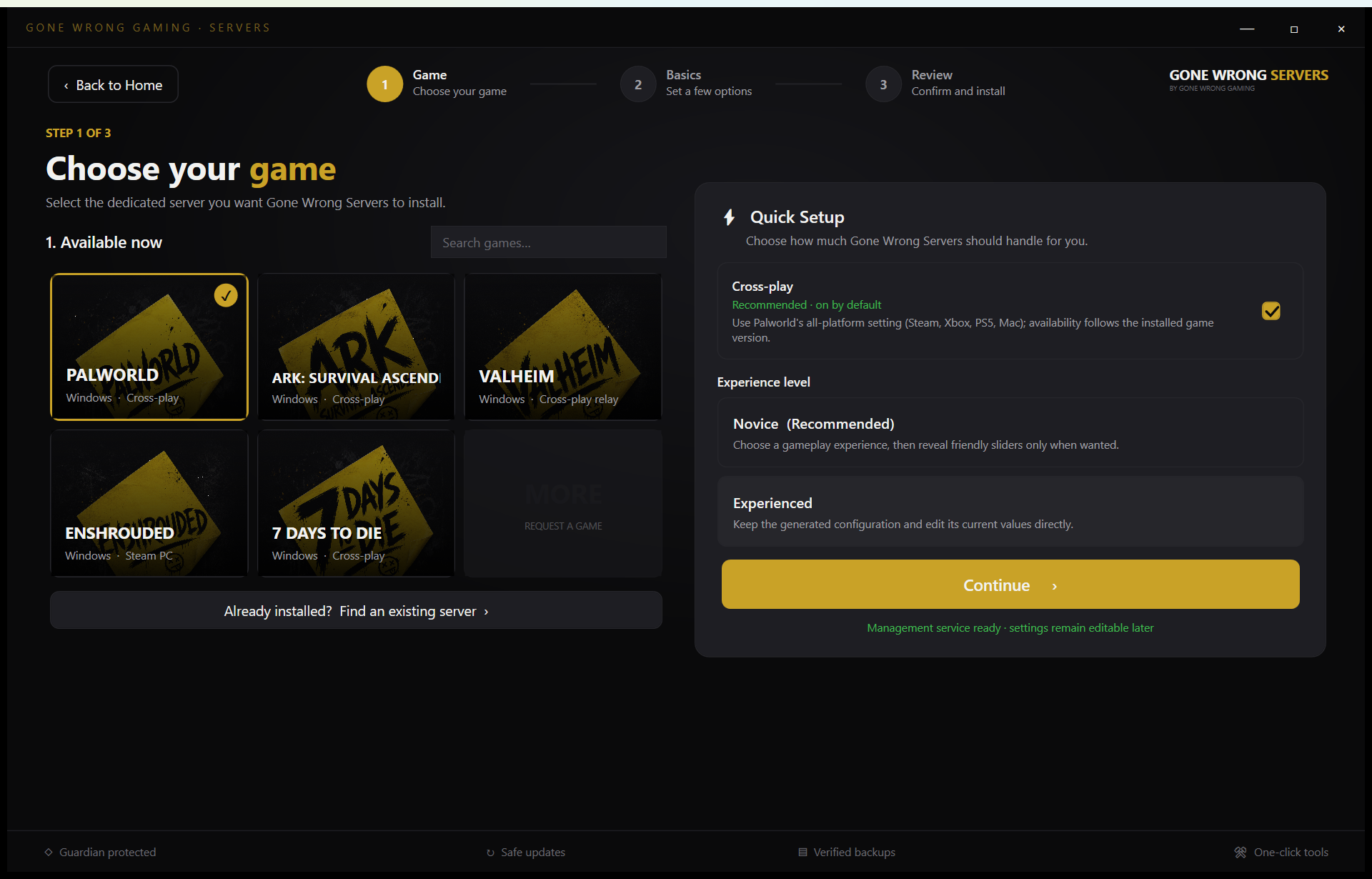 Open full size
Import an Existing Server
Included in FreeAlready hosting? Bring your server — it stays right where it is.
Gone Wrong Servers finds your existing installation and manages it in place. Your worlds, settings and mods are never moved, rewritten or wiped. If you ever stop using the app, your server keeps working without it.
Importing and managing an existing server is included in Free.
For the technically curious
Import scans known install locations and lets you point at a folder directly. Management is non-destructive: existing configs are read and edited in place, never regenerated from scratch.
Included in Free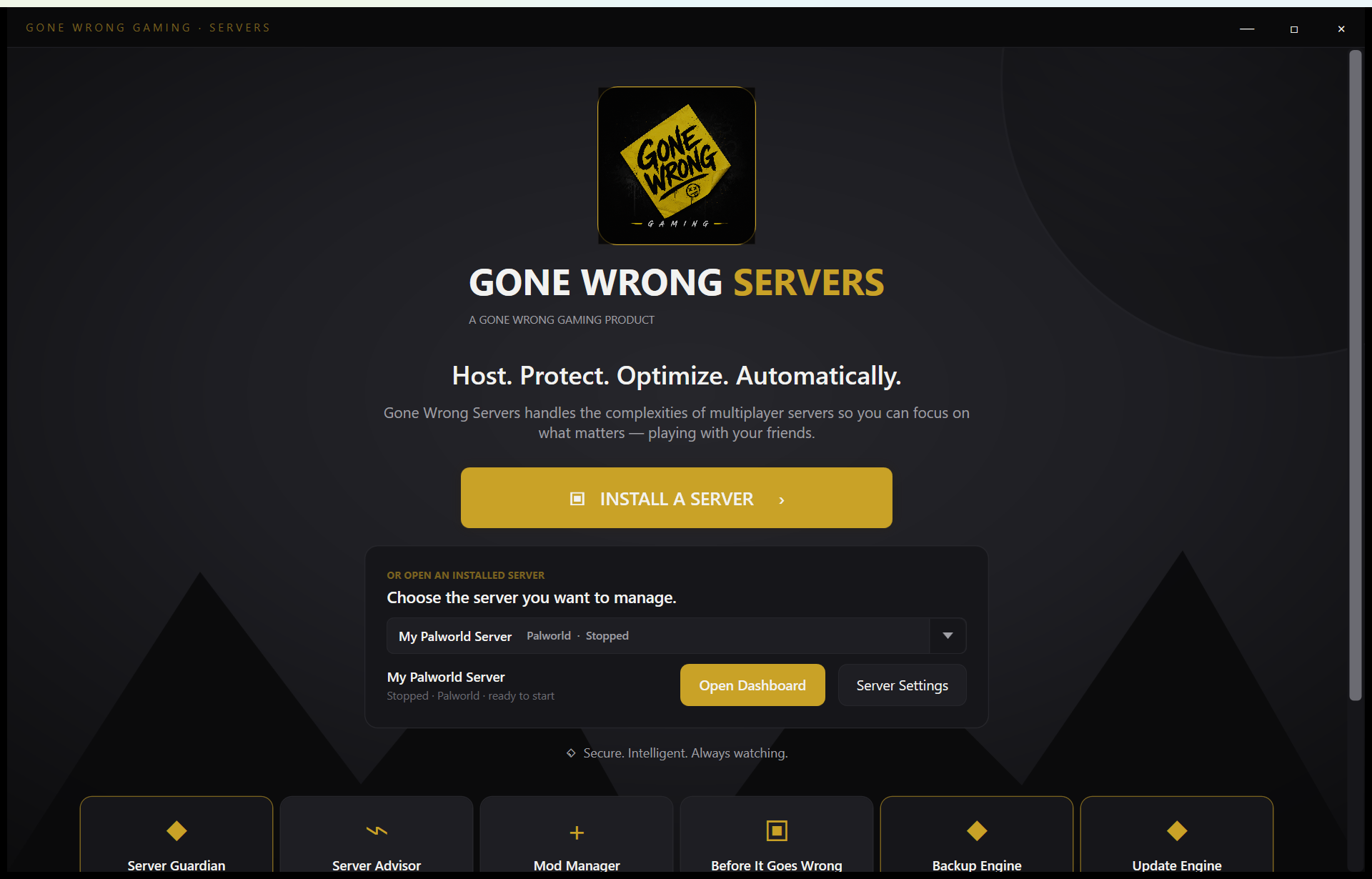 Open full size
Connection Setup
Included in FreeAnswer the only question that matters: can your friends join?
Connection setup walks through ports, firewall rules and router hints, then verifies that real players can actually reach your server — so you find out before game night, not during it.
Firewall automation, router guidance, and connection verification are included in Free.
For the technically curious
Windows Firewall rules are created automatically. Router port-forwarding guidance is game-specific, and player-based connection verification confirms end-to-end reachability.
Included in Free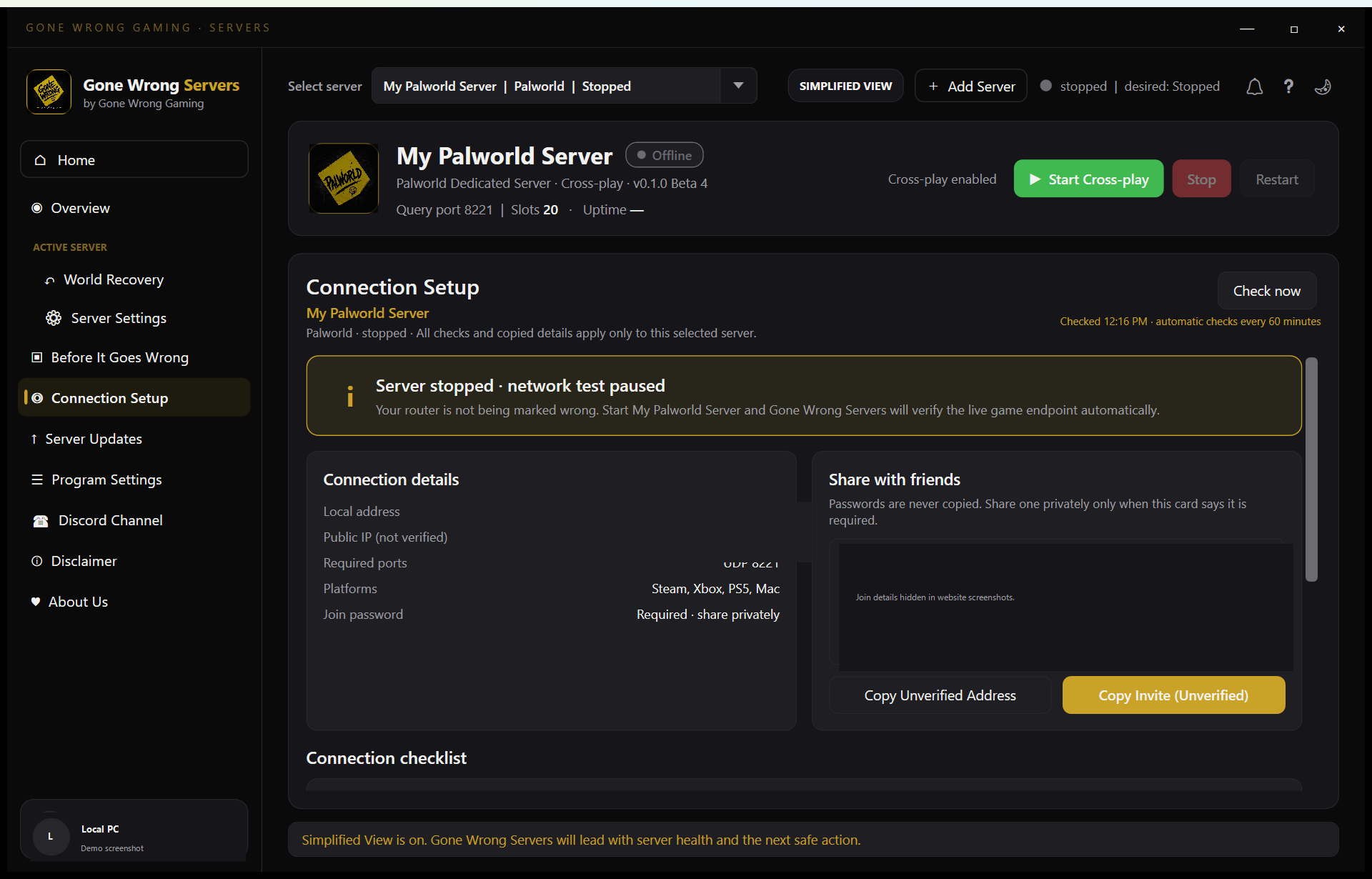 Open full size
Server Settings
Included in FreeEvery important setting in plain English — expert mode one click away.
Change difficulty, player slots, passwords and world options from a friendly settings screen. Every option explains what it does before you change it.
Simplified settings, experienced settings, and raw configuration access are included in Free.
For the technically curious
An expert view exposes the full supported settings surface, and a raw config view shows exactly what's written to disk. Nothing is hidden from you.
Included in Free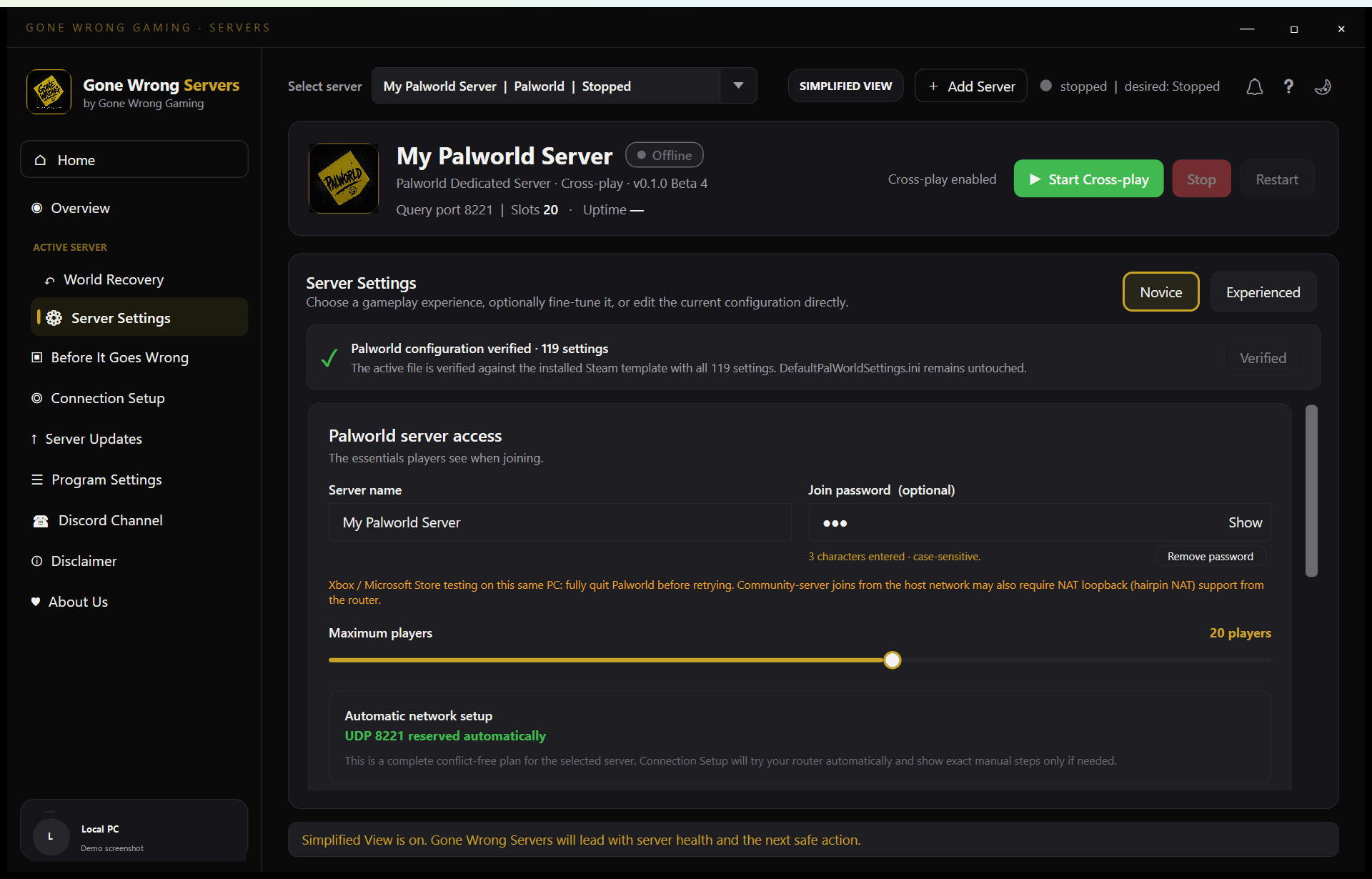 Open full size
Live Operations
Included in FreeStart, stop, restart and watch your server in real time.
See at a glance whether your server is up, who can join, and what it's doing. Start, stop and restart with one click — and see what happened afterwards in a readable activity log.
Live status and manual start, stop, and restart controls are included in Free.
For the technically curious
Live operations tracks process state, uptime and desired state, so the app knows the difference between 'stopped because you said so' and 'stopped because something went wrong'.
Included in Free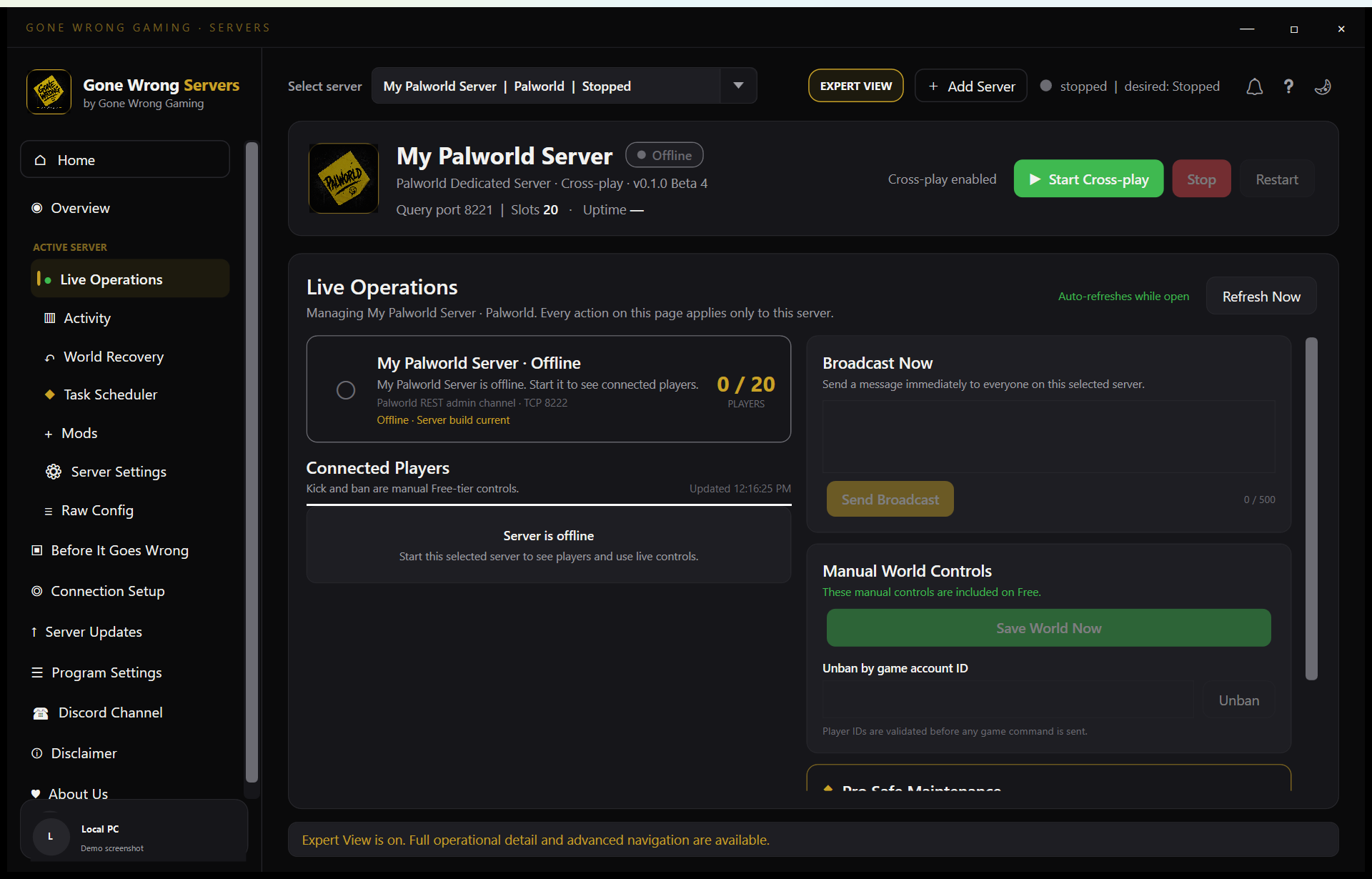 Open full size
Safe Updates
Free core + Pro automationUpdate when you choose — with a way back if a patch breaks things.
Game updates land on their schedule, not yours. Gone Wrong Servers tells you when an update is available and lets you apply it at a good moment, with a recovery point taken first.
Checking and applying updates manually are included in Free. Scheduled safe automatic updates are Pro automation.
For the technically curious
Manual updates are free forever. Pro adds safe automatic updates: pre-update recovery points, update windows, and verification that the server comes back healthy.
Free core + Pro automation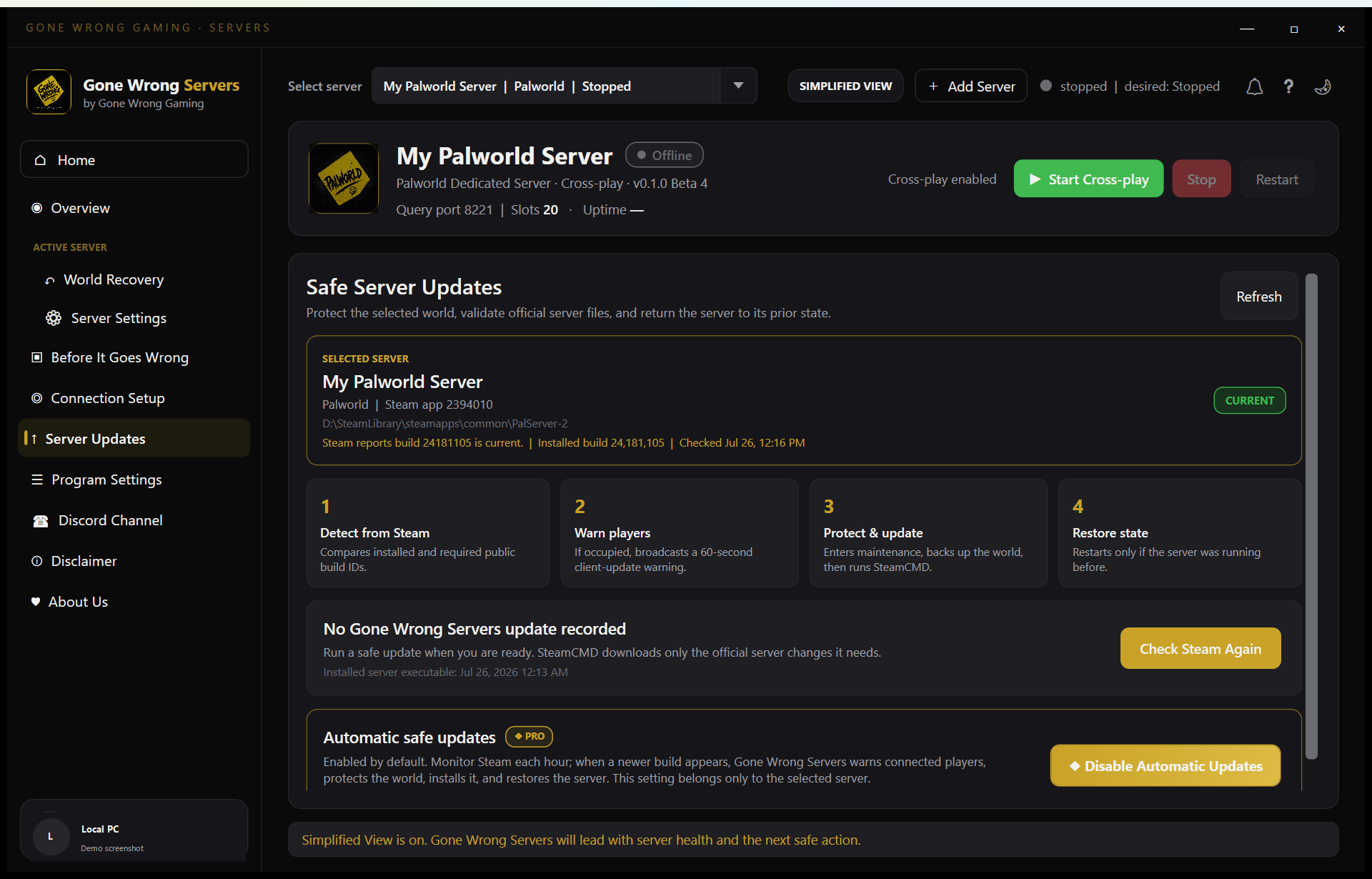 Open full size
World Recovery
Free core + Pro automationYour world is the valuable part. Treat it that way.
Take verified backups of your world and roll back to any of them safely. Before every rollback, the current world is backed up too — the old world is set aside, never deleted.
Manual backups and world recovery are included in Free. Automated recovery points and advanced recovery automation are Pro.
For the technically curious
Recovery points capture the complete native save tree, including the game's own autosaves and backup files. Each archive is verified and staged before a rollback proceeds.
Free core + Pro automation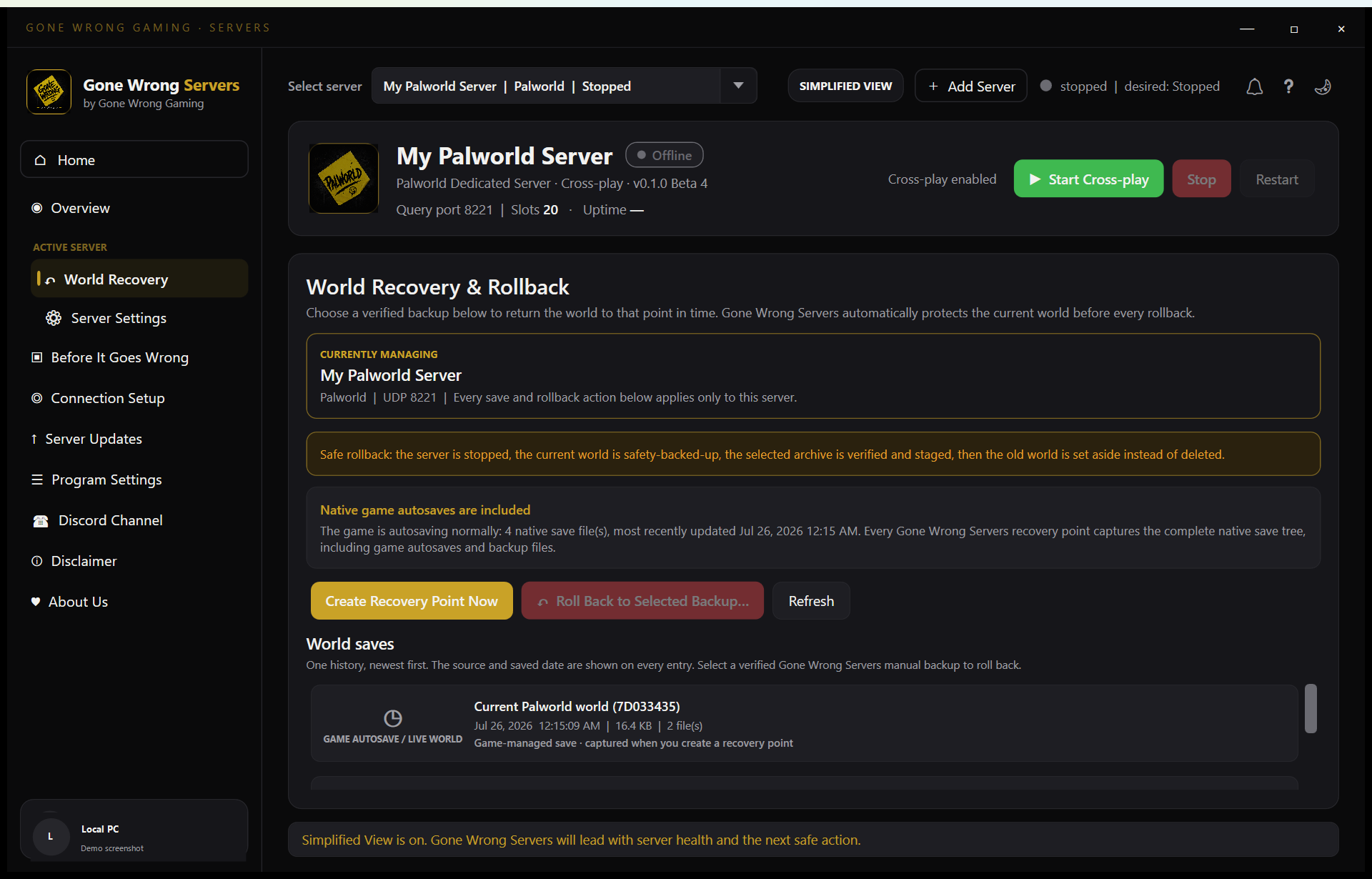 Open full size
Mods
Included in FreeAdd, update and remove mods without spelunking through folders.
Manage your server's mods from one screen for games that support them. See what's installed, keep things tidy, and back up before big changes.
Supported mod management is included in Free.
For the technically curious
Mod management is per-game and respects each game's native mod layout, so a modded server you import keeps working exactly as configured.
Included in Free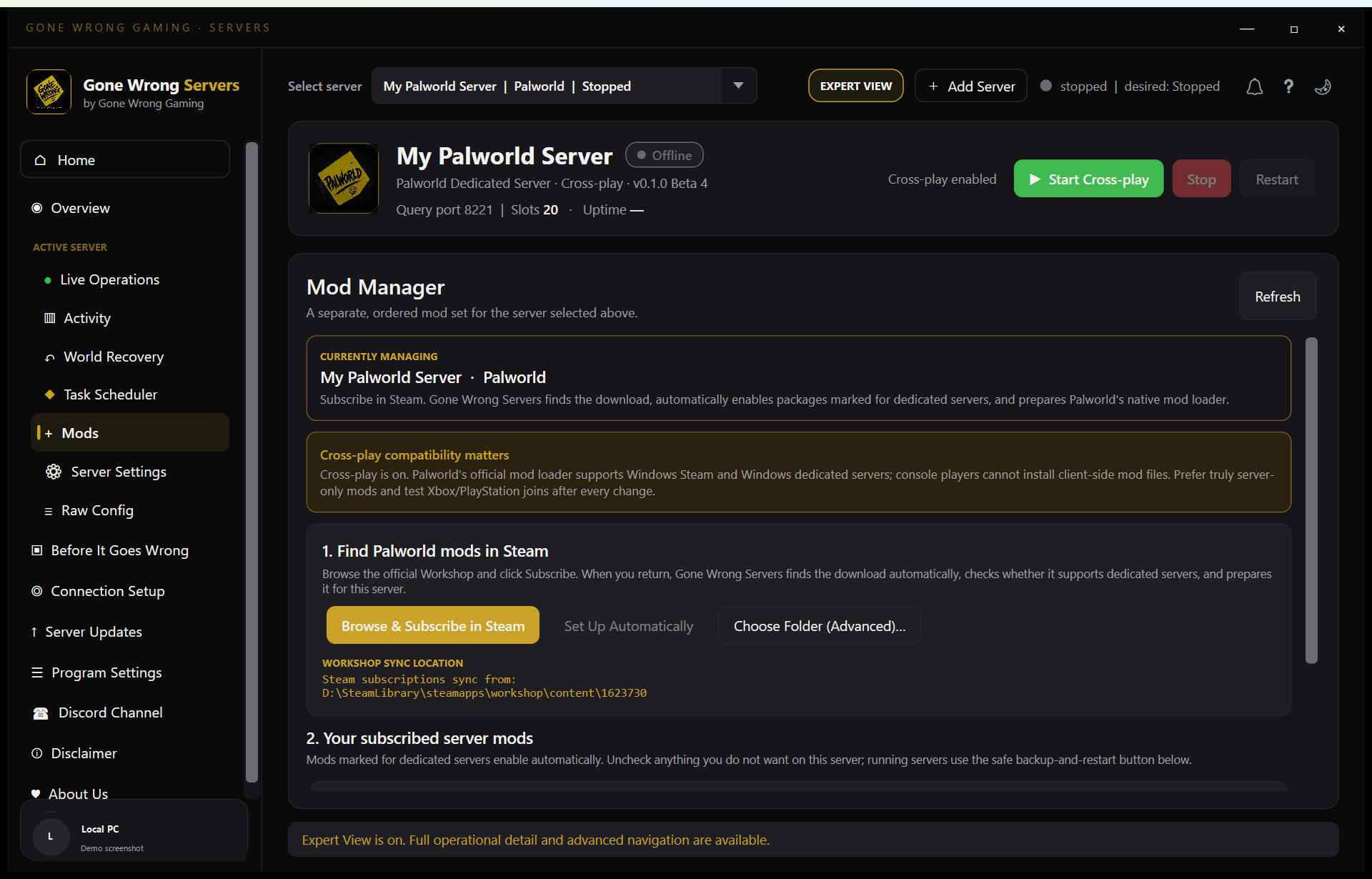 Open full size
PC Capacity
Included in FreeKnow what your PC can handle before your friends find out for you.
Hardware-aware guidance shows how many servers and players your machine can comfortably host, per game — so you can plan game night with confidence.
PC readiness and capacity guidance are included in Free.
For the technically curious
Capacity estimates combine your CPU, memory and per-game server footprints, and update as you add or remove servers.
Included in Free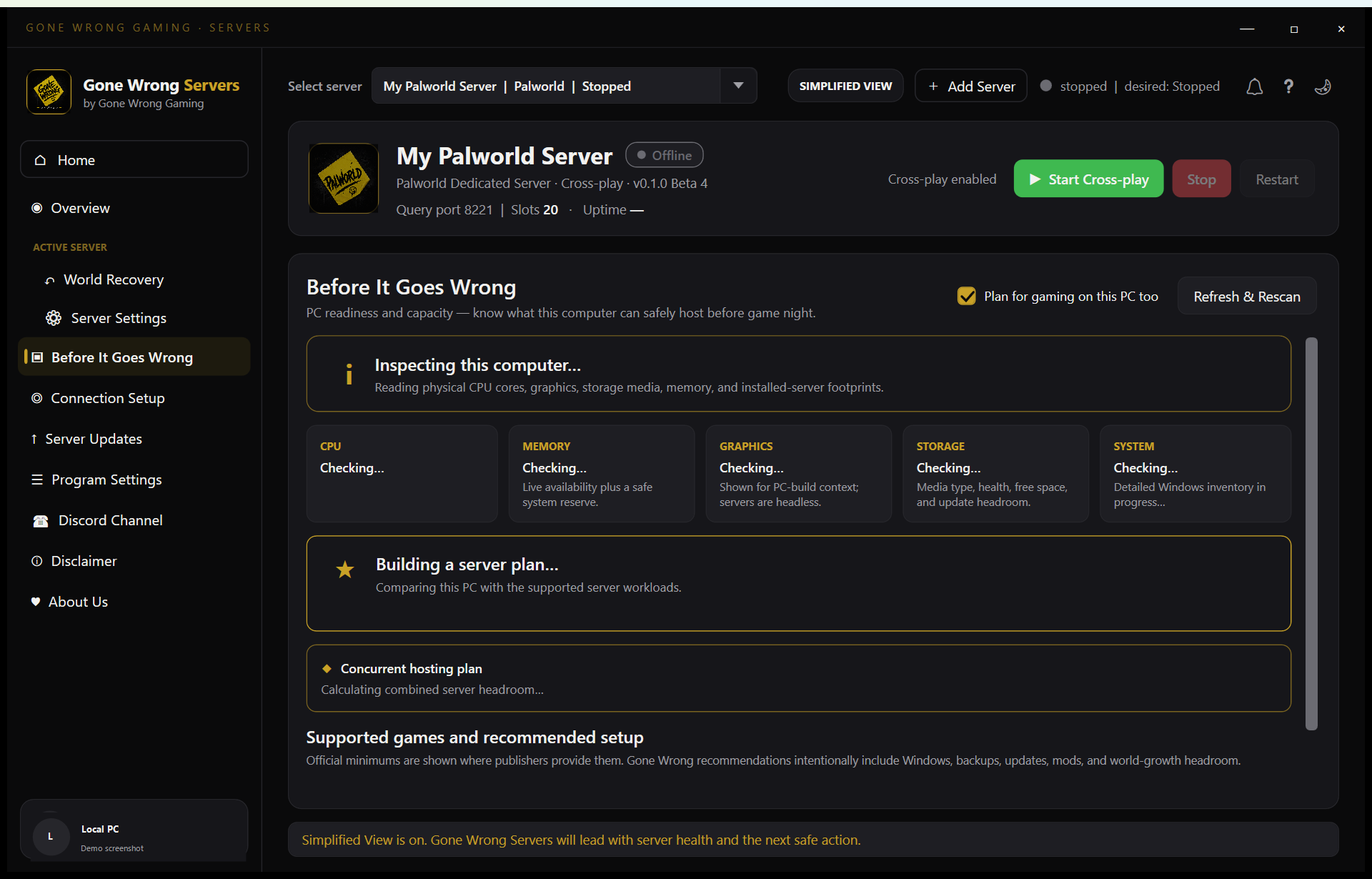 Open full size
Server Migration
Included in FreeNew PC? Your server moves with you.
Move a server — world, settings and all — to a new machine or drive without losing anything. Gone Wrong Servers handles the packing and unpacking.
Server migration is included in Free.
For the technically curious
Migration builds on the same verified backup system as world recovery, so what arrives on the new machine is checked against what left the old one.
Included in Free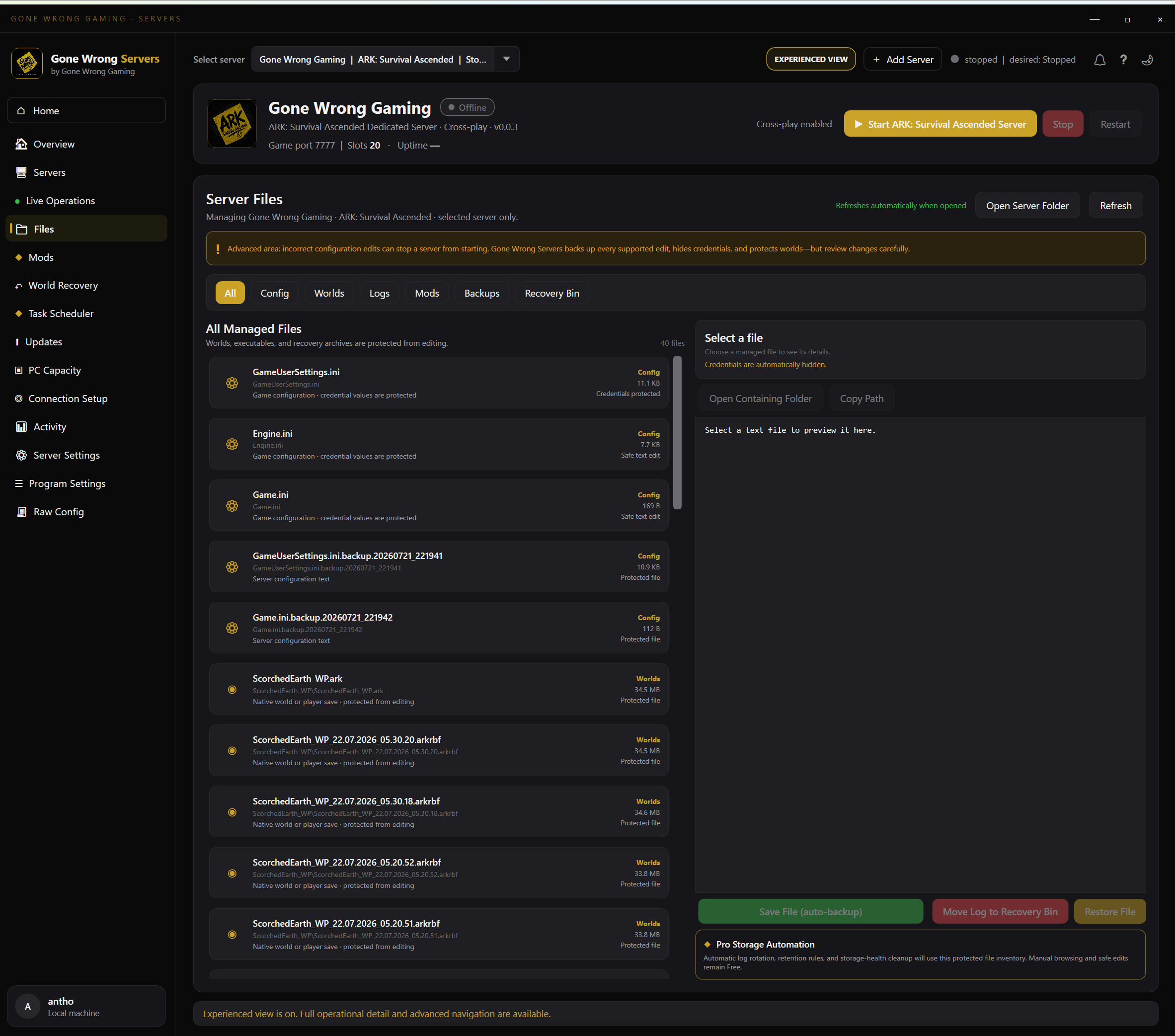 Open full size
Guardian
Pro automationA watchdog that keeps your server up while you're actually playing.
Server Guardian watches your server's health and brings it back when things go wrong — crashes, hangs, even a Windows reboot. When it acts, it tells you what happened and why.
Guardian monitoring, automatic recovery, and restart-loop protection are Pro automation.
For the technically curious
Guardian tracks desired state, performs game-aware health checks, recovers from restart loops, and records an explainable incident log. It controls only the processes it launched.
Pro automation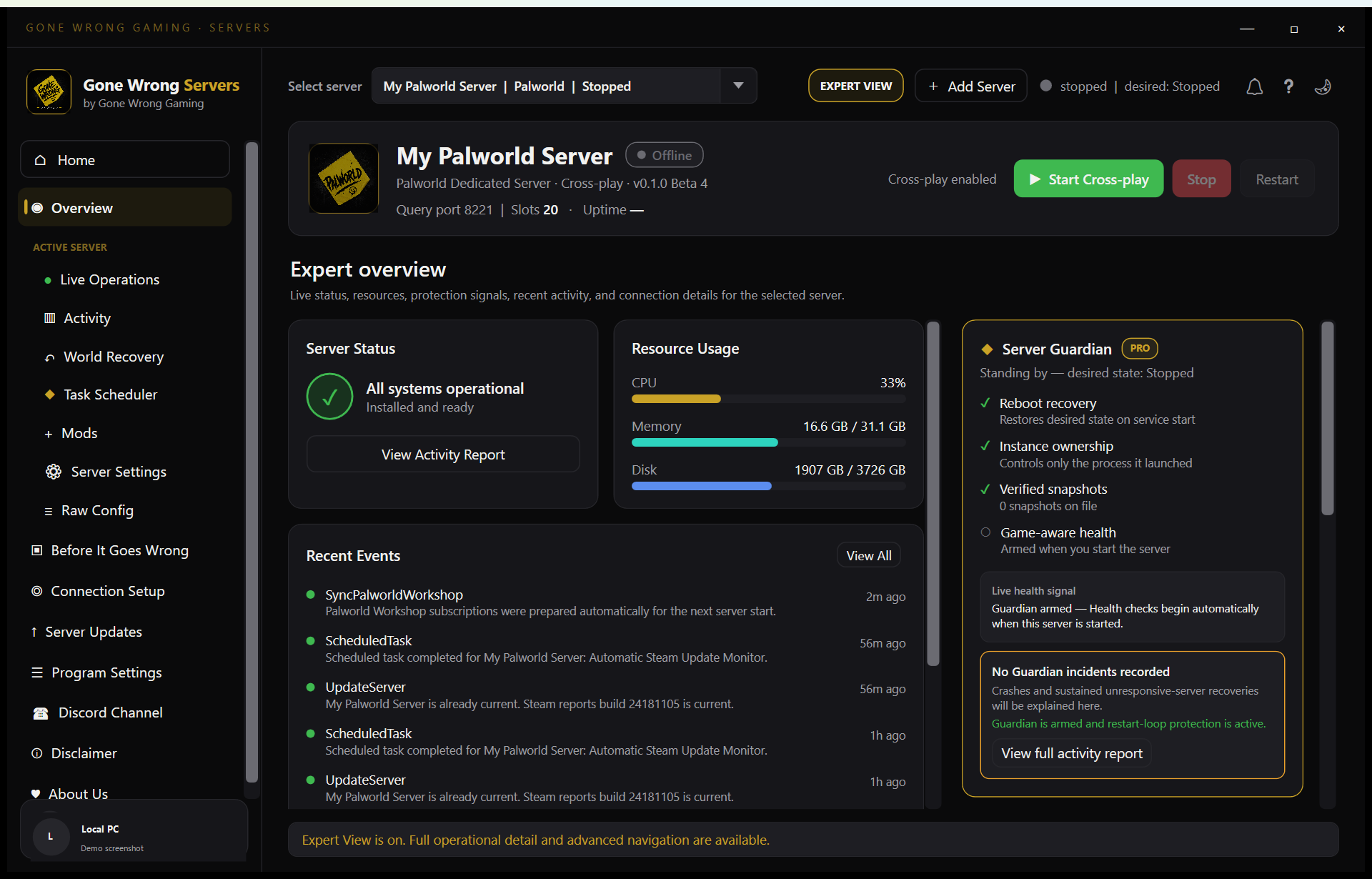 Open full size
Automation
Pro automationBackups, restarts and updates that happen while you sleep.
Schedule backups, restarts, update windows and player broadcasts. Your server maintains itself on a routine you set once — and you can always see what ran and when.
Scheduled backups, restarts, broadcasts, and update windows are Pro automation.
For the technically curious
The task scheduler covers recurring backups, restarts, broadcasts and safe update windows, with automated recovery points before anything risky.
Pro automation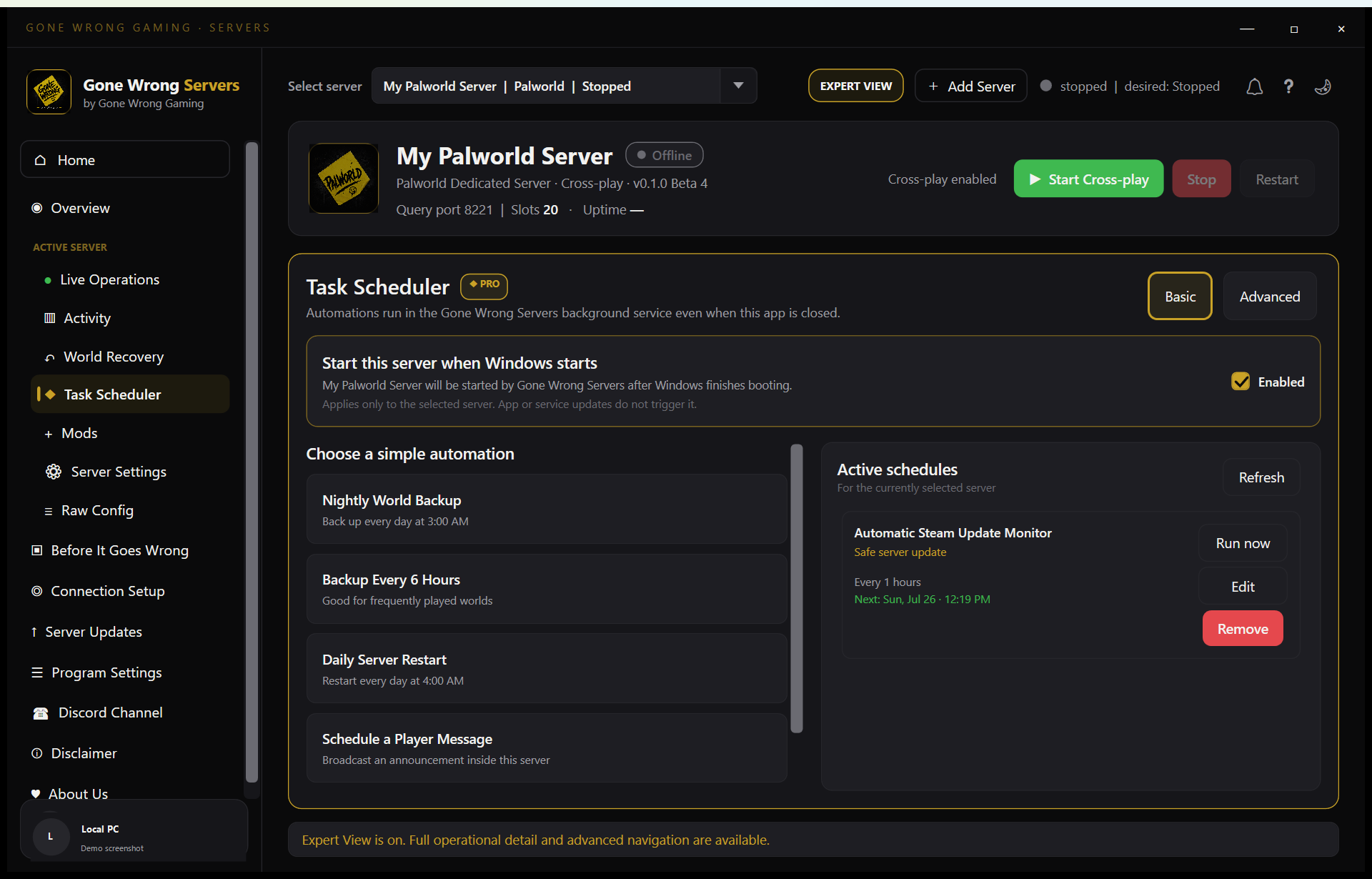 Open full size
Founders Access
Founders Access is coming soon
We're getting the Founders Beta ready. Signups open shortly — check back soon, or drop us a line and we'll make sure you're first to know.
The Founders Access list isn't open just yet. When it is, this is where you'll sign up for beta builds and launch news.
- Beta builds before anyone else
- A direct line to the developer
- First word on launch and Pro pricing
Want a heads-up the moment it opens? Email Support@gonewronggaming.com and we'll add you to the early list.